Cleanup that doesn't invent
Punctuation, casing, filler words, false starts, self-corrections, and spoken URLs and email addresses — resolved without adding content you didn't say.
Available for macOS today · Windows planned · audio stays on device · online account check
Press a hotkey, speak, and clean text is pasted right at your cursor. Transcription and cleanup run on device using Apple speech and Foundation Models where available. Audio stays local; an account and brief online access check are required.
Ready
⌥ SpaceRaw speech
Press the hotkey and start talking…
Cleaned text
Your cleaned text appears here — nothing is invented.
Simulated demo. No microphone or network access.
How it works
No windows to manage, no uploads to wait on, no dashboard to visit. Speech goes in, finished text comes out.
One key press opens a compact recording HUD wherever you are — any app, any text field. Nothing starts listening until you ask it to.
Ramble, restart, correct yourself. Speech is transcribed on device using Apple speech, with support for many languages.
Cleanup fixes punctuation, casing, filler words, false starts, self-corrections and spoken URLs or emails — then pastes the result where you were typing.
Product tour
Real screens from the macOS app. Put your cursor where the text belongs, hold the shortcut, and keep moving — the app itself stays out of the way.
Thalix Voice — Voice dashboard
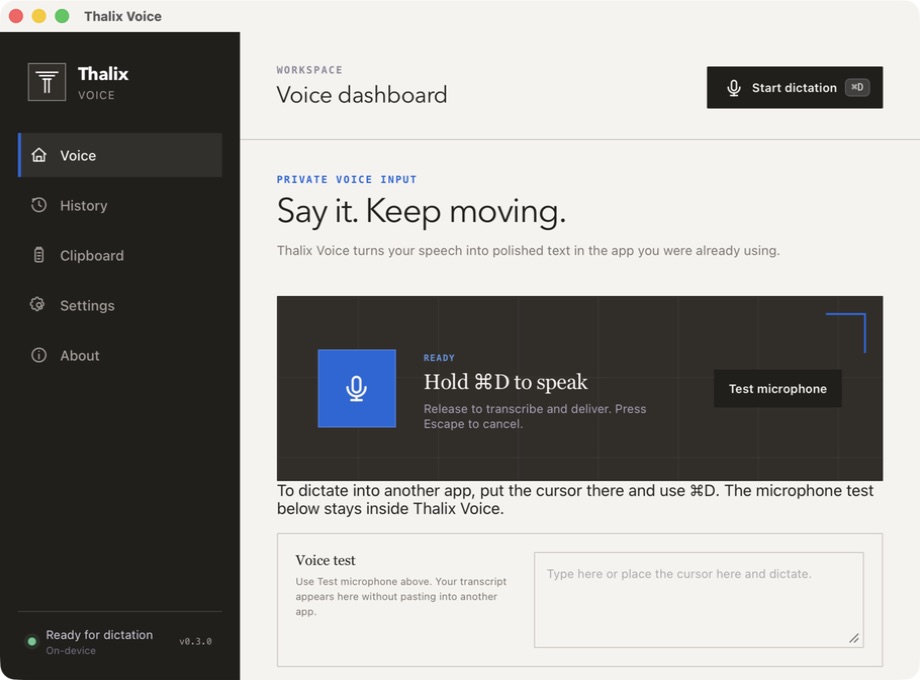
Hold the shortcut, release to deliver. Recording state is always visible, and Escape cancels before anything is written.
Test without side effects. The microphone test keeps its transcript inside Thalix Voice, so nothing is pasted into another app while you check your setup.
History and clipboard stay local. Earlier dictations remain searchable on your machine for pulling a passage back into place.
Screenshots are from the macOS app, which is what you can install today. Windows is planned; its interface isn't shown here.
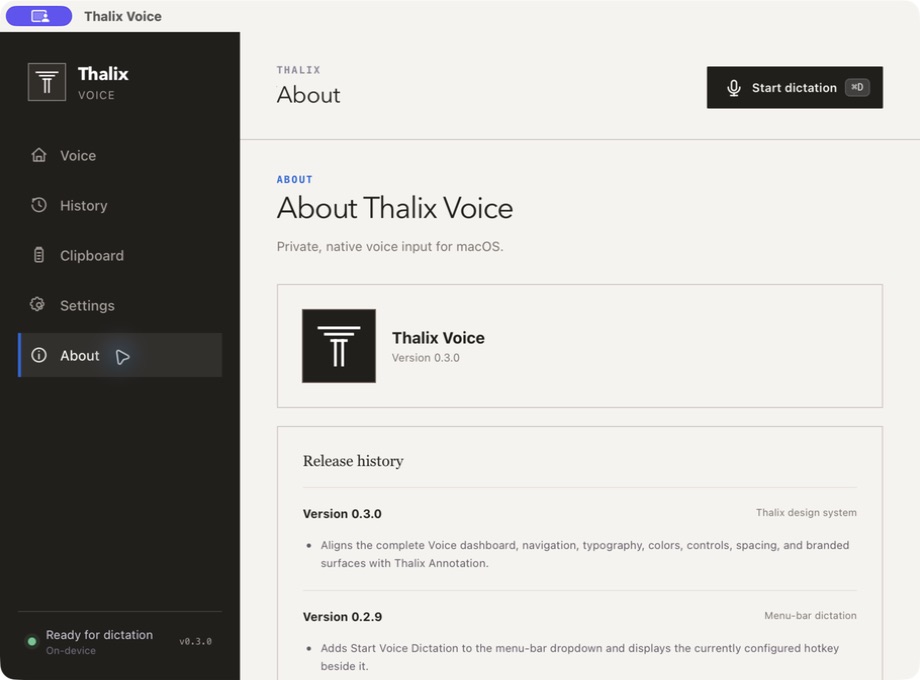
Thalix Voice — About
Features
A small set of things done carefully, rather than a long list done loosely.
Punctuation, casing, filler words, false starts, self-corrections, and spoken URLs and email addresses — resolved without adding content you didn't say.
Say “Thalix” to trigger a voice command. Every command shows a visible confirmation and waits for a human before anything runs.
Teach it the names, product terms, and acronyms you actually use so they come out spelled the way you write them.
Every dictation stays available and searchable locally, with a clipboard workflow for pulling an earlier passage back into place.
Transcription supports many languages. Cleanup is currently optimized for English — we'd rather say that than overpromise.
Optional processing providers are disabled out of the box. Audio stays on your Mac; only the required authenticated account-access check uses the network.
For developers
Voice replies let you answer a prompt from a coding agent such as Claude Code out loud. Your words are returned as text, safely — the reply is never executed on your behalf.
agent — terminal
agent › Should I refactor the audio buffer into its own module before adding tests?
you (voice) › “um yes do the refactor first but keep the the public API the same”
Returned as textYes, do the refactor first, but keep the public API the same.
# inserted only — you press Enter when you're ready
Local first
Your audio and text-processing loop stays on your Mac. There is no telemetry or tracking; a brief authenticated online check confirms account and subscription access.
Audio is captured only while you hold the hotkey.
Transcription and cleanup run locally with Apple speech and Foundation Models where available.
Finished text is pasted in place, and stored in local history you can search.
The internet
Used for account access checks, never audio processing
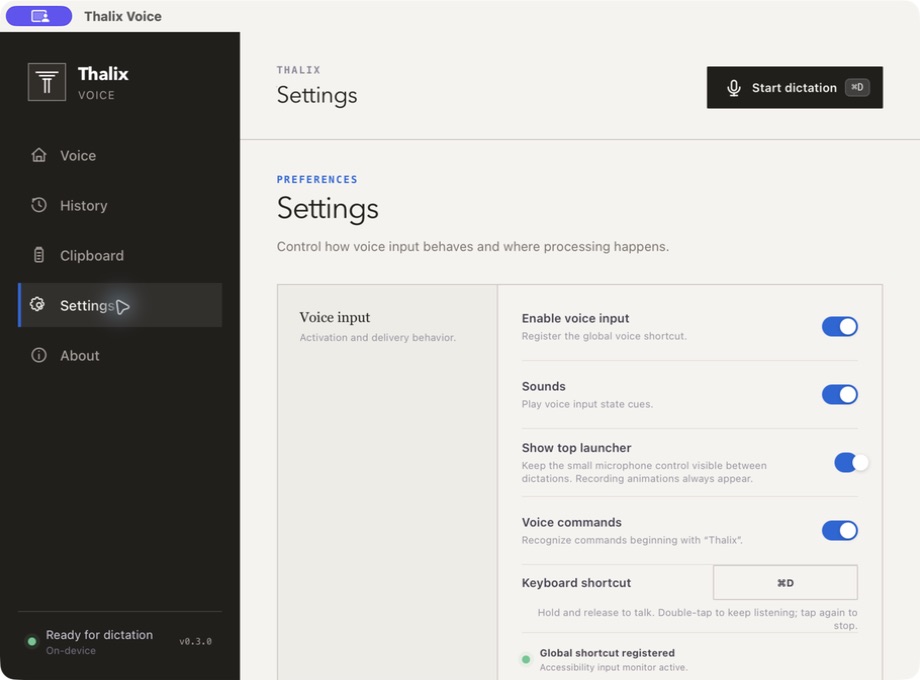
Settings control activation and where processing happens: the global shortcut, state sounds, the small microphone launcher, and whether commands beginning with “Thalix” are recognised at all.
Optional processing providers are off out of the box. The app still makes the required authenticated online check for account and subscription access.
Thalix Voice — Settings
Comparison
This is a comparison with the generic cloud-first dictation pattern, not with any named product. Available for macOS today; Windows is planned. Cleanup is currently English-optimized.
| Aspect | Thalix Voice | Typical cloud-first dictation |
|---|---|---|
| Where audio is processed | On your Mac, using Apple speech and Foundation Models where available | Uploaded to a remote server for processing |
| Network activity | Audio stays on your Mac; a brief online account check confirms access | Required for every dictation |
| Accounts | Required for subscription and device authorization | Sign-up typically required |
| Tracking | None | Analytics and usage telemetry are common |
| Voice commands | Wake word “Thalix”, with visible human confirmation before anything executes | Varies; confirmation is not guaranteed |
| Offline use | No offline entitlement promise in the current release | Generally unavailable offline |
Early access
We haven't announced pricing yet. Leave your email to register purchase interest, and we'll send you the download and terms the moment they're final. Available for macOS today. Windows is planned.
FAQ
If something isn't covered here, support is a message away.